Cross-environment best practices on App Platform for developers
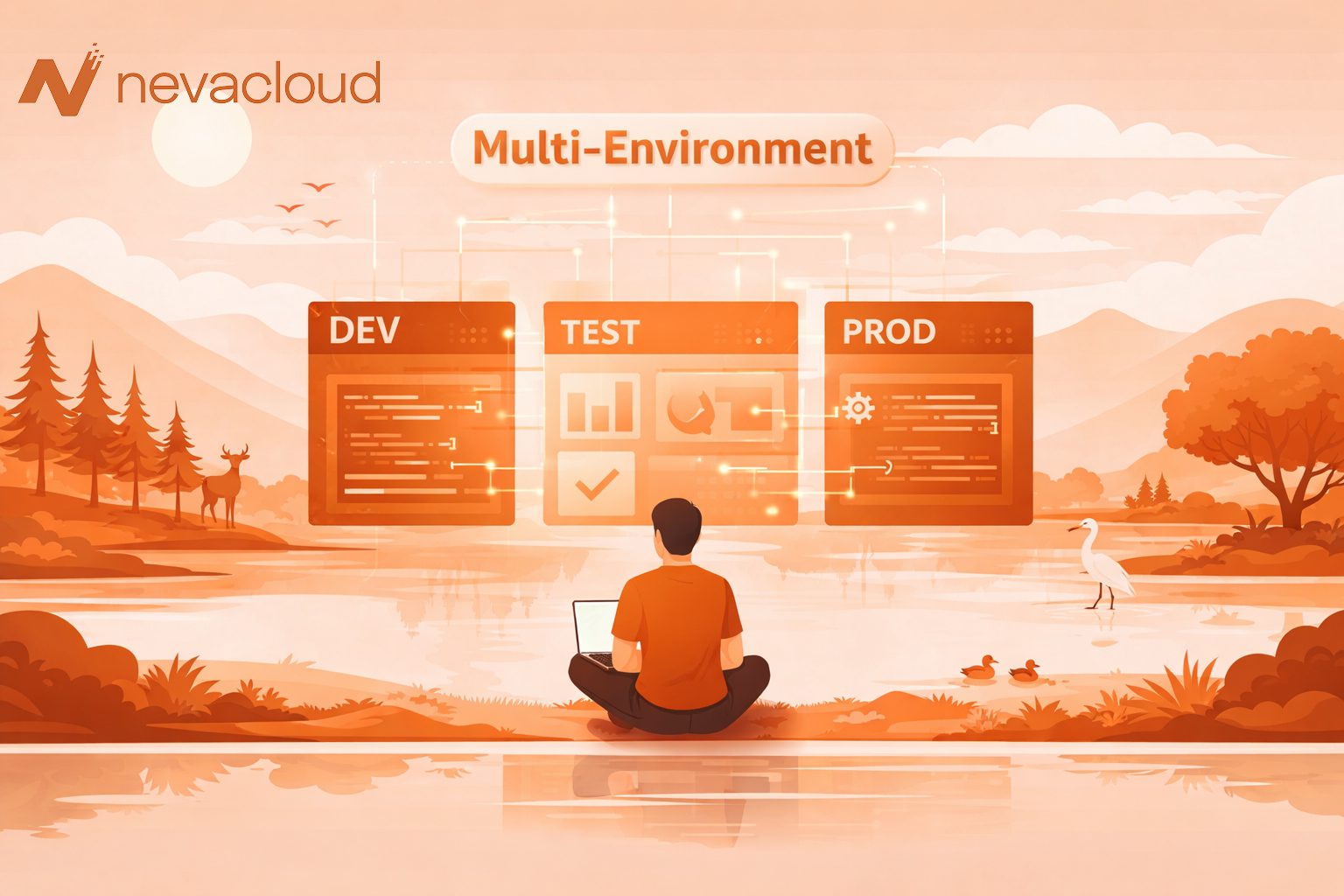
In modern application development, developers rarely work directly in the production environment. This practice is risky because small bugs can directly affect users. Therefore, many engineering teams implement a multi-environment approach. Multi-environment is a method that allows developers to manage multiple application development environments separately.
Typically consists of development, staging, and production environments. Each environment has a different function in the application development cycle. With this method, the workflow becomes more structured because each code change goes through a testing phase before being released. This article covers best practices for cross-environment application platforms!
What is multi-environment on App Platform?
Multi-environment on App Platform is a method of managing applications using multiple distinct environments in the development and deployment process. Each environment has different goals when it comes to software development. Developers generally use three main environments, namely development, staging, and production.
This separation helps teams test new features before they are released to users. Additionally, the risk of bugs appearing in production can be significantly reduced. In modern DevOps, multi-environment deployment has become the norm for cloud application development. Platforms like Kubernetes and Docker as well as various cloud providers also support this concept natively.
Without multiple environments, developers often encounter typical problems such as configuration conflicts or bugs that only appear after the application is released. Therefore, using a cross-environment application platform is an important part of creating stable and scalable applications.
Multi-environment frameworks commonly used by developers
The following is a cross-environment framework commonly used by developers:
1. Development environment
A development environment is an environment where developers also create and develop new features. This environment generally has a simple configuration and lighter resources. Developers use this environment to:
- write new code
- do some debugging
- run unit tests
- test initial integration
Because it is used for experiments, this environment often evolves according to needs.
2. Preparation environment
The test environment is a replica of the production environment. The goal is to ensure that the application runs with the same configuration before release. Test environments are typically used by QA teams to perform more in-depth testing. Some of the activities carried out during staging include:
- integration testing
- performance tests
- user acceptance testing
- deployment validation
With a testing environment, developers can ensure that the application is truly ready before entering production.
3. Production environment
The production environment is the environment in which applications run and are used by users. This environment must have a high level of stability and security. All code changes have typically gone through a pre-testing process. The production environment is also equipped with a monitoring system so that developers can detect errors more quickly.
Best practice multi-environment application platform
Managing multiple environments on App Platform requires the right strategy to keep the development process stable. Without clear practices, configuration differences can cause bugs to appear during deployment. Here are some cross-environment application platform best practices that developers often use:
1. Clearly separate the environment
The first step in implementing multiple environments is to clearly separate each environment. Some commonly used practices include:
- using a separate project or container
- separation of databases between environments
- Avoid using the same credentials
This separation helps avoid configuration conflicts and improves application security. Apart from this, developers can also carry out experiments in the development environment without affecting the production system.
2. Use the CI/CD pipeline for deployment
Continuous integration and continuous deployment (CI/CD) are essential components of modern workflow. The CI/CD pipeline allows build, test, and deployment processes to run automatically. CI/CD workflows typically follow the following flow:
- the developer commits the code to the repository
- the pipeline executes the build process
- the system performs automated tests
- The application is deployed in the test environment
- After successful validation, deployment is carried out in production
With this method, the deployment process is more consistent and has minimal manual errors.
3. Use environment variables for configuration
Application configuration management is an important aspect of multi-environment deployment. Developers should use environment variables to store sensitive information such as:
- API key
- database credentials
- authentication token
- service configuration
This way, sensitive information is not written directly into the application code. In addition to improving security, this approach also makes it easier to configure applications in each environment.
4. Make sure staging and production have similar setups
One of the common errors during deployment is the configuration difference between test and production environments. This issue often causes bugs that go undetected during the testing process. Developers usually call this the “works in preparation but fails in production” problem. To avoid this issue, make sure the following components have the same configuration:
- runtime version
- server operating system
- application dependencies
- container configuration
Similar configurations will help ensure more accurate test results.
5. Implement monitoring and logging
Monitoring is an important element in managing the production environment. Without monitoring, developers will have difficulty detecting issues when the application encounters errors. Some commonly monitored metrics include:
- CPU usage
- memory usage
- error rate
- request latency
- response time
Besides monitoring, the logging system also helps developers troubleshoot faster. With complete data, the engineering team can more effectively find the source of the problem.
6. Use a secure deployment strategy
The deployment strategy determines how new applications are released to the production environment. The right deployment strategy can minimize the risk of downtime. Some commonly used strategies include:
- Blue-Green Deployment: This method uses two identical production environments. User traffic is redirected to the new environment after successful deployment.
- Canary Deployment: In this method, the new version of the application is first released to a small number of users. If it is stable, the deployment is complete.
- Gradual deployment: This method updates applications gradually without shutting down the entire system.
Deployment selection can be adjusted to application needs and system-wide.
Contoh Workflow multi-environment pada application platform
The following is a simple example of a deployment workflow that developers often use.
- Developers write code and commit it to the repository.
- The CI pipeline runs the build process and unit tests.
- Applications are automatically deployed to the development environment.
- Once testing is complete, the application is moved to the testing environment.
- The QA team performs final testing before release.
- If the application is stable, deployment is carried out to the production environment.
This workflow helps developers quickly release features without sacrificing system stability.
Errors that often occur in multiple environments
Although multiple environments are quite common in application development, their implementation is often not optimal. Some configuration errors make it difficult to detect bugs before the application is released. Here are some mistakes in managing multiple environments:
1. Use the same database in all environments
Some development teams always use the same database for development, staging, and production. This practice is very risky because production data may change accidentally during the testing process.
2. Configuration differences between preparation and production
Configuration differences often cause applications to run normally in staging but fail in production. Therefore, the test environment must have a configuration close to the production system.
3. Not using the CI/CD pipeline
Without a CI/CD pipeline, the deployment process is typically done manually. This increases the risk of human error and makes the application publishing process inconsistent.
4. No monitoring or logging
Some teams only focus on the deployment process without preparing adequate follow-up. As a result, production errors are often detected too late. Monitoring and logging help developers resolve issues faster.
Conclusion
Implementing multiple environments on App Platform has become an important practice in modern application development. By separating development, staging, and production environments, developers can more safely test features before releasing them to users. This approach helps reduce the risk of bugs, maintain system stability and structure the deployment process. Additionally, implementing best practices such as CI/CD pipelines, environment variable management, monitoring, and appropriate scaling strategies can significantly improve application performance. Stable infrastructure also plays an important role in supporting this workflow. Therefore, using flexible cloud services is the right choice. Nevacloud Cloud VPS provides scalable resources, stable performance, and full control allowing developers to manage multiple environments more efficiently.
PakarPBN
A Private Blog Network (PBN) is a collection of websites that are controlled by a single individual or organization and used primarily to build backlinks to a “money site” in order to influence its ranking in search engines such as Google. The core idea behind a PBN is based on the importance of backlinks in Google’s ranking algorithm. Since Google views backlinks as signals of authority and trust, some website owners attempt to artificially create these signals through a controlled network of sites.
In a typical PBN setup, the owner acquires expired or aged domains that already have existing authority, backlinks, and history. These domains are rebuilt with new content and hosted separately, often using different IP addresses, hosting providers, themes, and ownership details to make them appear unrelated. Within the content published on these sites, links are strategically placed that point to the main website the owner wants to rank higher. By doing this, the owner attempts to pass link equity (also known as “link juice”) from the PBN sites to the target website.
The purpose of a PBN is to give the impression that the target website is naturally earning links from multiple independent sources. If done effectively, this can temporarily improve keyword rankings, increase organic visibility, and drive more traffic from search results.